Edit page details

Change a page’s Name and its Slug, the part of its address after your domain.

1 min read Updated 3 Nov 2026
On this page

Every page has a Name and a Slug. The Slug is the part of the page’s address after your domain: a page with about there is at yourdomain.com/about. You change both in the Edit page details window.

Open the page details

  1. In the Pages list, select the page.
  2. Select the gear icon next to the page’s name.
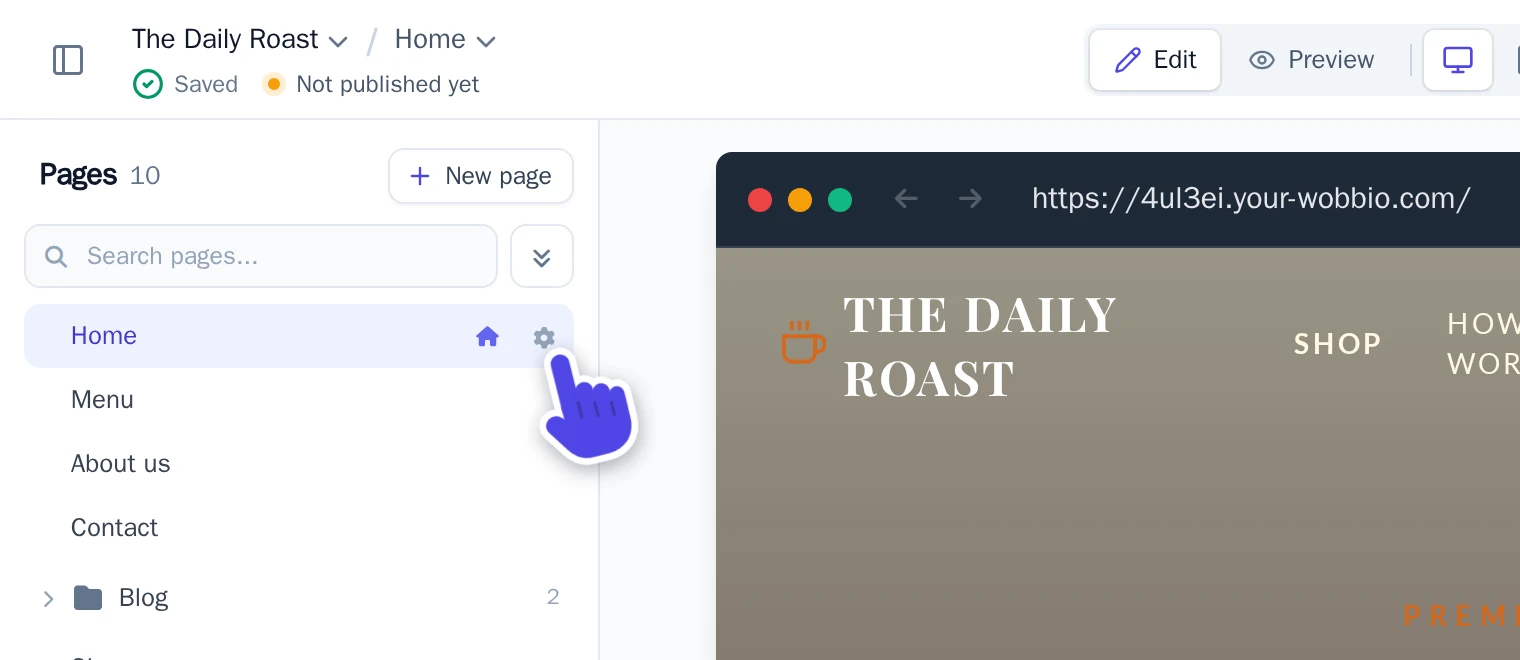
    The gear icon next to the Home page in the Pages list, highlighted
    The gear icon opens Edit page details.

Change the Name or Slug

  1. Change Name, Slug or both:

    • Name: the name of the page in the Pages list.
    • Slug: lowercase letters, numbers and dashes. A slash puts the page in a folder, like blog/our-roastery.
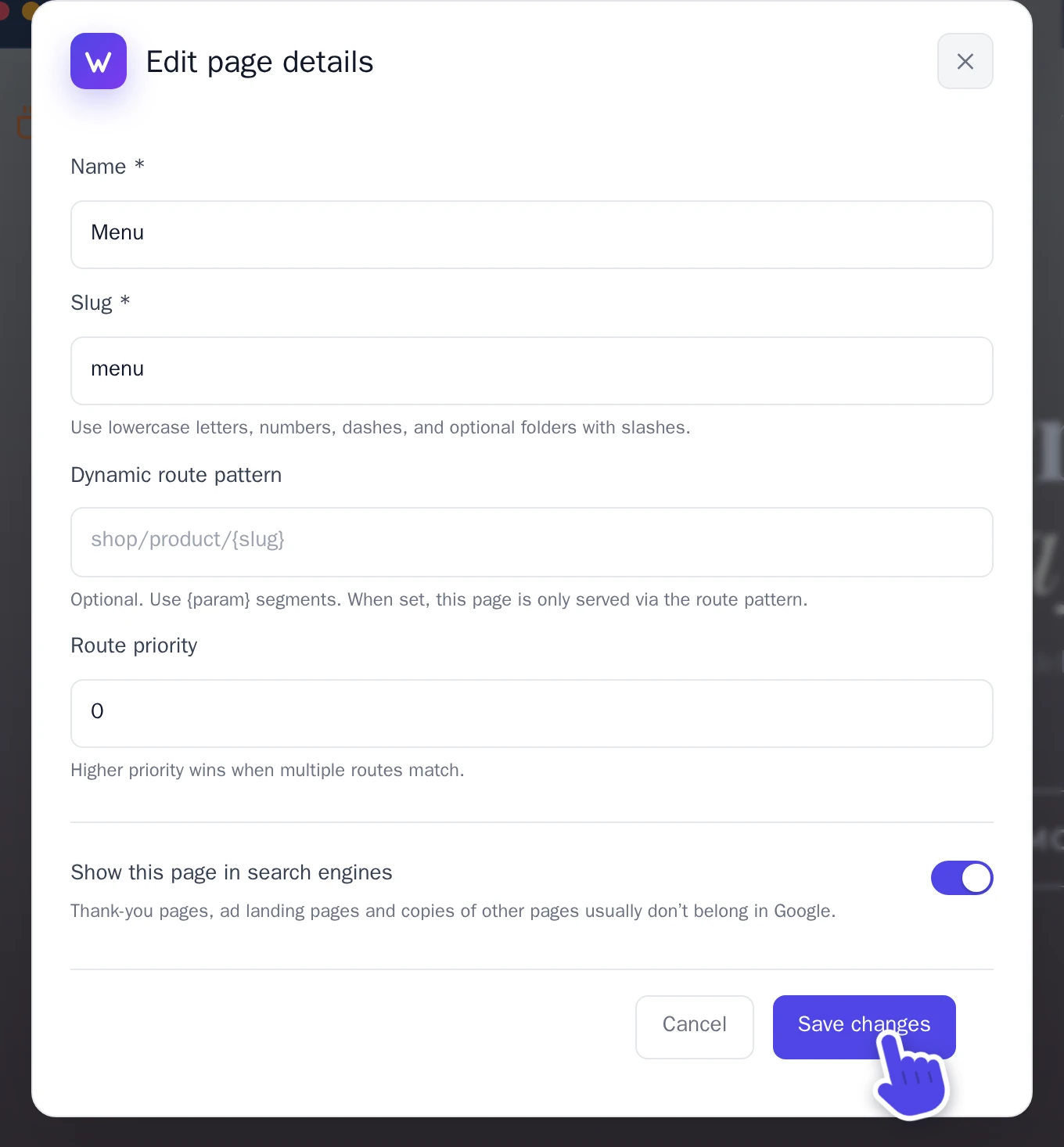
    The Edit page details window of a page called Menu
    The Edit page details window of a page called Menu.
  2. Select Save changes.

Keep a page out of search engines

Some pages don’t belong in Google, like a thank-you page after a form. In the same window, turn off Show this page in search engines and select Save changes.

To add a new page instead, see Add a page.

In other languages (18)

Tutorials

Learn how to use Wobbio

Adding a new page
2:52

Adding a new page

In this tutorial, we'll show you how to add a new page to your website.

Adding your own images to your website
5:05

Adding your own images to your website

Find out how to upload your own images and ask Wobbio AI to use them on your website.

How to use the Wobbio editor interface
6:33

How to use the Wobbio editor interface

Discover all the basics about the main tools in the Wobbio editor interface.

Migrating your outdated website into Wobbio
3:38

Migrating your outdated website into Wobbio

All information you need about migrating your old website to Wobbio.

How to generate images for your website
1:58

How to generate images for your website

Learn how to generate custom images with Wobbio AI and add them to your website.

How to customize AI chat settings
6:47

How to customize AI chat settings

Learn how to adjust your AI chat settings to achieve your desired results.

How to register or transfer a domain name
3:16

How to register or transfer a domain name

Learn how to register an available domain name or transfer a domain you already own to Wobbio.

How to publish your website to your domain name
1:59

How to publish your website to your domain name

Learn how to publish your Wobbio website to your own domain name, either by using Wobbio domains or by setting DNS records yourself.

Need help?

Connect with our team

Online
Chat on WhatsApp
Or connect via