How to publish your website to your domain name

Learn how to publish your Wobbio website to your own domain name, either by using Wobbio domains or by setting DNS records yourself.

Updated 147 days ago 2 min read

How to publish your website to your domain name

You’ve built a great-looking website in Wobbio, and now you’re ready to publish it to your own domain name. The process is simple: add your domain during publishing, then either transfer/register it with Wobbio or keep it with your current provider and set the required DNS records.

Steps

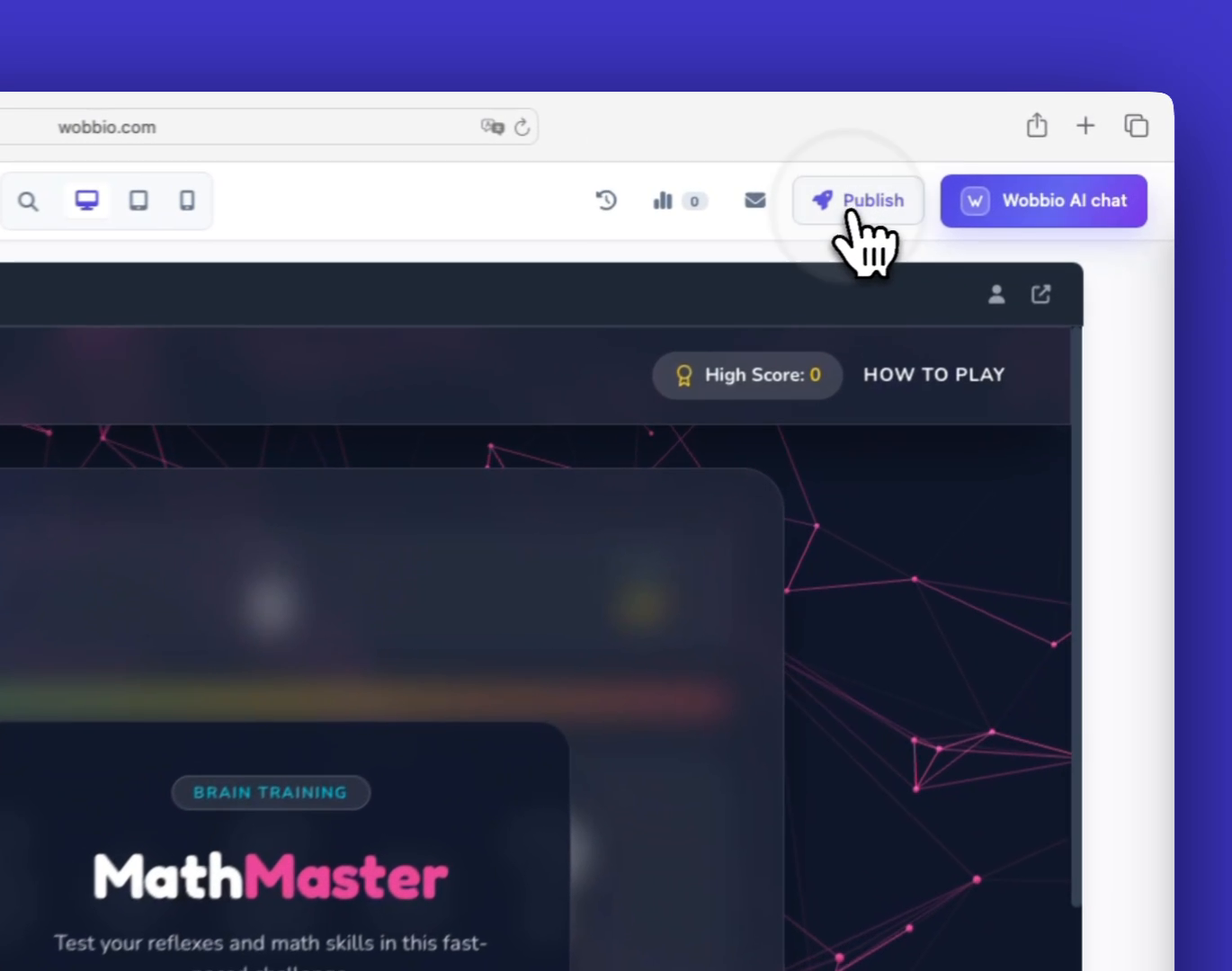
  1. Click Publish in your project.
    Click the 'Publish' button

  2. Enter the domain name you want to use.
    If you already own a domain, you can type it here. If you want to transfer it to Wobbio or register a new one, you also start by entering the domain name here.
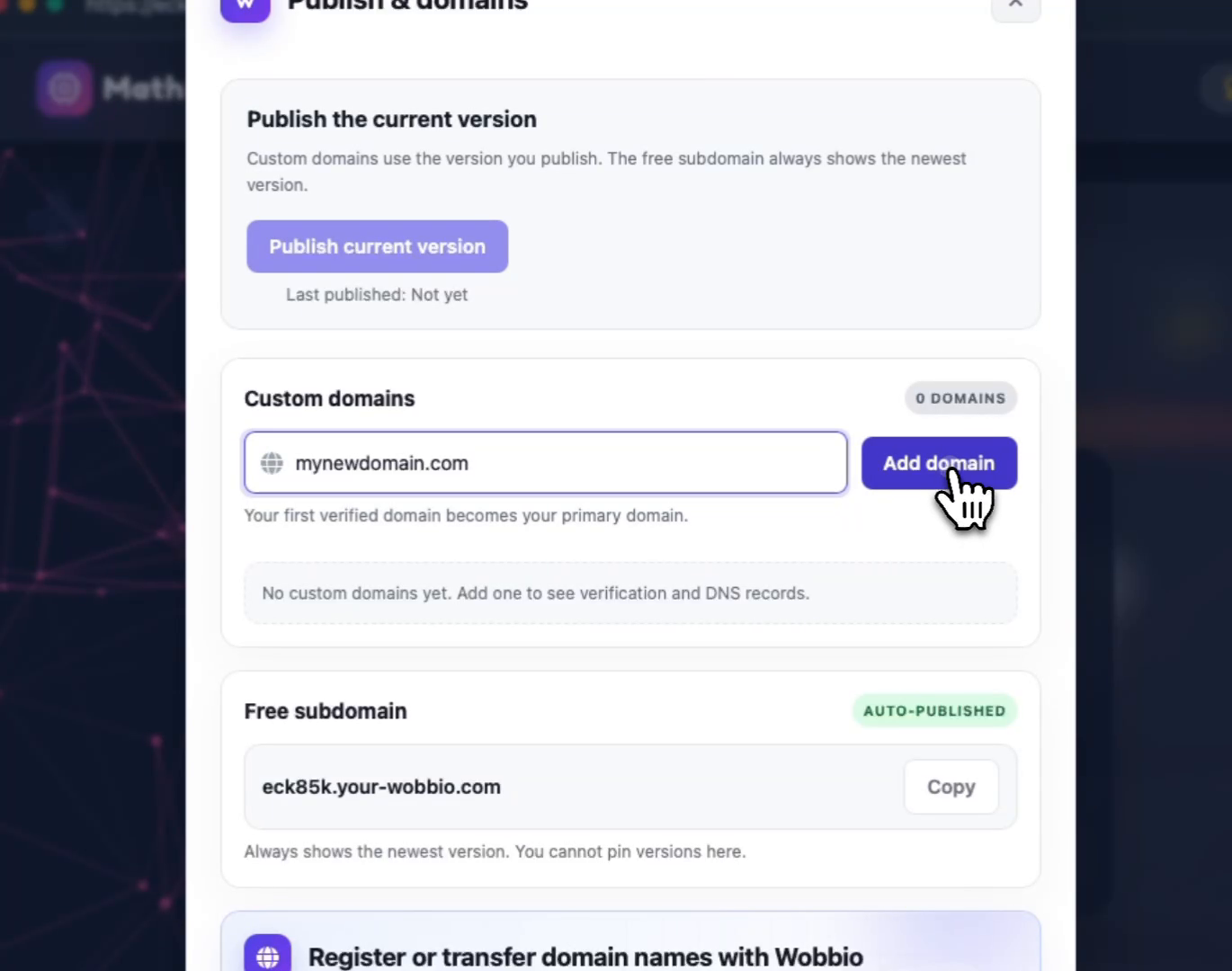
    Enter the domain name you want to add

  3. Choose to Transfer or Register the domain with Wobbio (recommended for easiest setup).
    If the domain is taken and you want to move it to Wobbio, you’ll be asked for the transfer key. When you transfer your domain to Wobbio, we make sure everything works correctly, including your website and email.
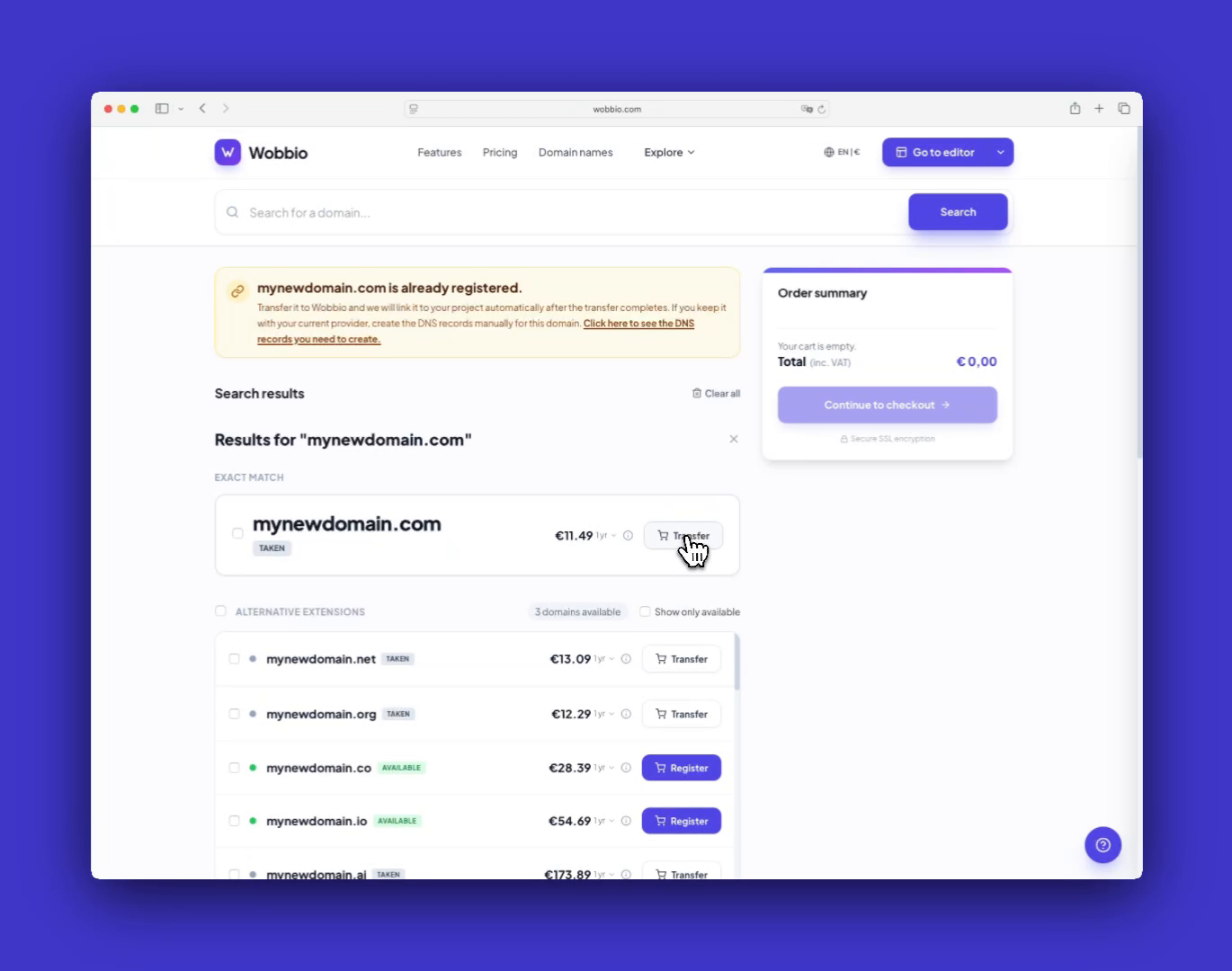
    Transfer or register your domain name with Wobbio. Your domain name will then be linked to your Wobbio project automatically. No manual configuration needed.

  4. If you want to keep your domain with your current provider, open the required DNS records.
    Click the option shown below to see which DNS records are needed for your domain to work with Wobbio.
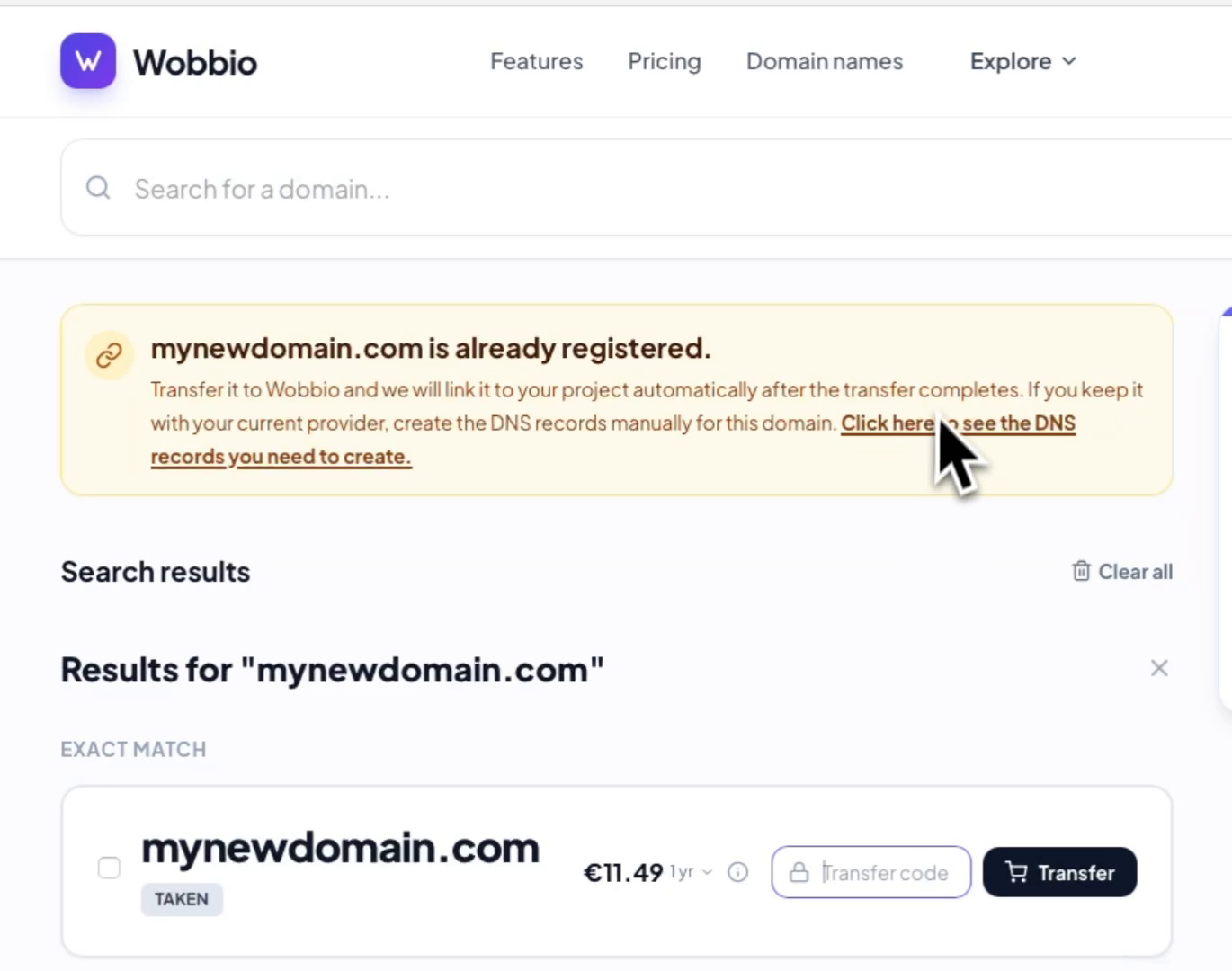
    Or click here to see which DNS records you must create with your domain name provider if you don't want to transfer your domain name to Wobbio.

  5. Create the shown DNS records at your domain provider.
    Copy the DNS records exactly as shown and add them at your current domain/DNS provider. If this feels like too much work, you can transfer your domain to Wobbio instead.
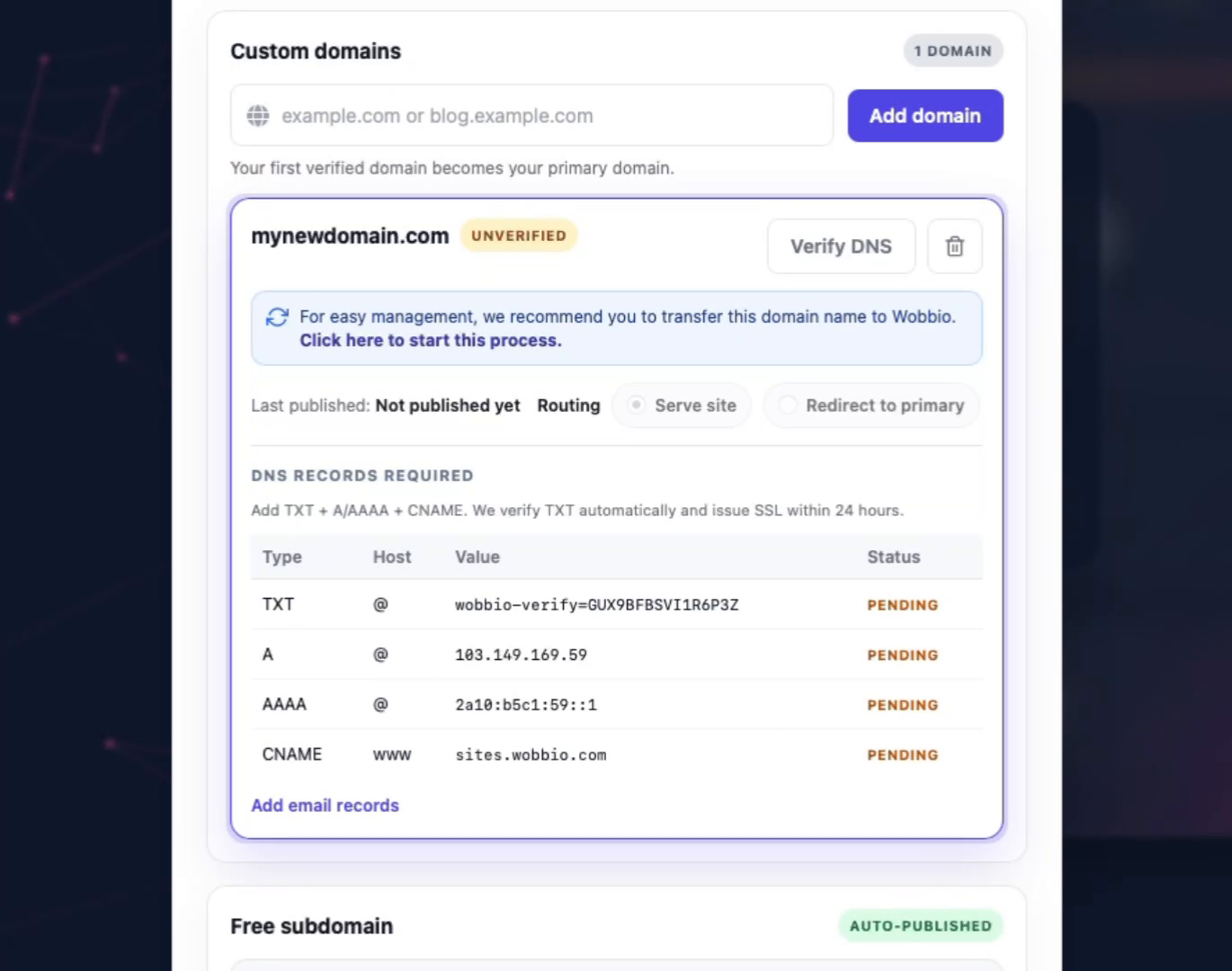
    The DNS records you must create are shown here, but keep in mind that it's easier to just transfer your domain name to Wobbio for easy management and to link it to your website.

Tips

  • If you’re unsure about DNS changes, transferring your domain to Wobbio is the easiest way to avoid manual configuration.
  • If you have questions about this process, message us via WhatsApp or Telegram.

Tutorials

Learn how to use Wobbio

Adding a new page
2:52

Adding a new page

In this tutorial, we'll show you how to add a new page to your website.

Adding your own images to your website
5:05

Adding your own images to your website

Find out how to upload your own images and ask Wobbio AI to use them on your website.

How to use the Wobbio editor interface
6:33

How to use the Wobbio editor interface

Discover all the basics about the main tools in the Wobbio editor interface.

Migrating your outdated website into Wobbio
3:38

Migrating your outdated website into Wobbio

All information you need about migrating your old website to Wobbio.

How to generate images for your website
1:58

How to generate images for your website

Learn how to generate custom images with Wobbio AI and add them to your website.

How to customize AI chat settings
6:47

How to customize AI chat settings

Learn how to adjust your AI chat settings to achieve your desired results.

How to register or transfer a domain name
3:16

How to register or transfer a domain name

Learn how to register an available domain name or transfer a domain you already own to Wobbio.

How to publish your website to your domain name
1:59

How to publish your website to your domain name

Learn how to publish your Wobbio website to your own domain name, either by using Wobbio domains or by setting DNS records yourself.

Need help?

Connect with our team

Online
Chat on WhatsApp
Or connect via