How to register or transfer a domain name

Learn how to register an available domain name or transfer a domain you already own to Wobbio.

Updated 148 days ago 2 min read

How to register or transfer a domain name

Registering or transferring a domain name in Wobbio is quick and straightforward. You simply search for the domain you want, then choose whether to register an available name or transfer a domain you already own. After checkout and payment, Wobbio will initiate the registration or transfer at the registry.

Steps

  1. Open Domain names and search for your domain
    Go to the domain name page and use Search domain names to look up the domain you want to register or transfer.
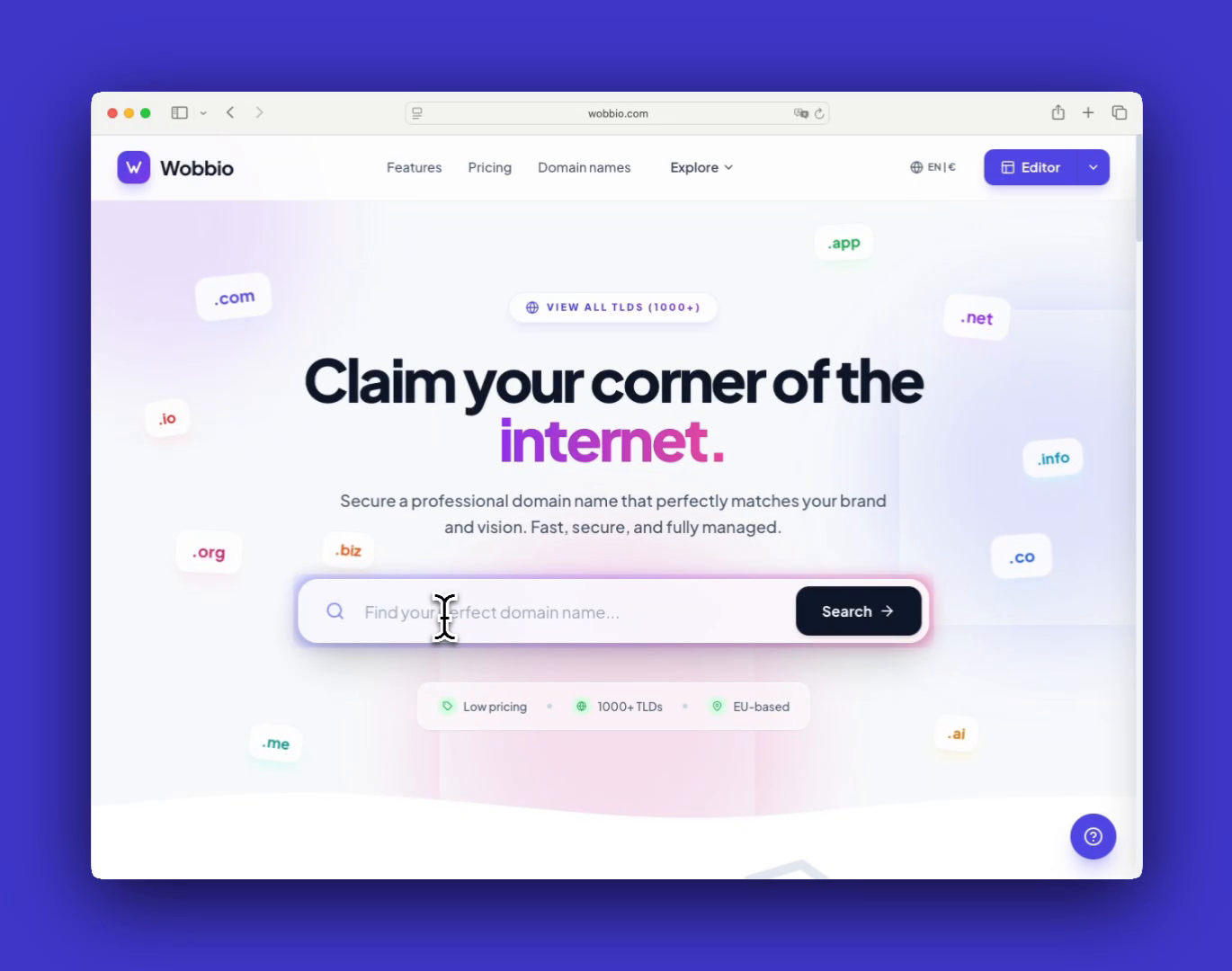
    Search the domain name you want to register or transfer

  2. If the domain is taken, transfer it (only if you already own it)
    If you see a domain marked as Taken with an Transfer button, it’s already registered by someone. You can only transfer it if you are the current owner. Ask your current provider for the Transfer code (this is like the domain’s password), then enter it in Wobbio to start the transfer.
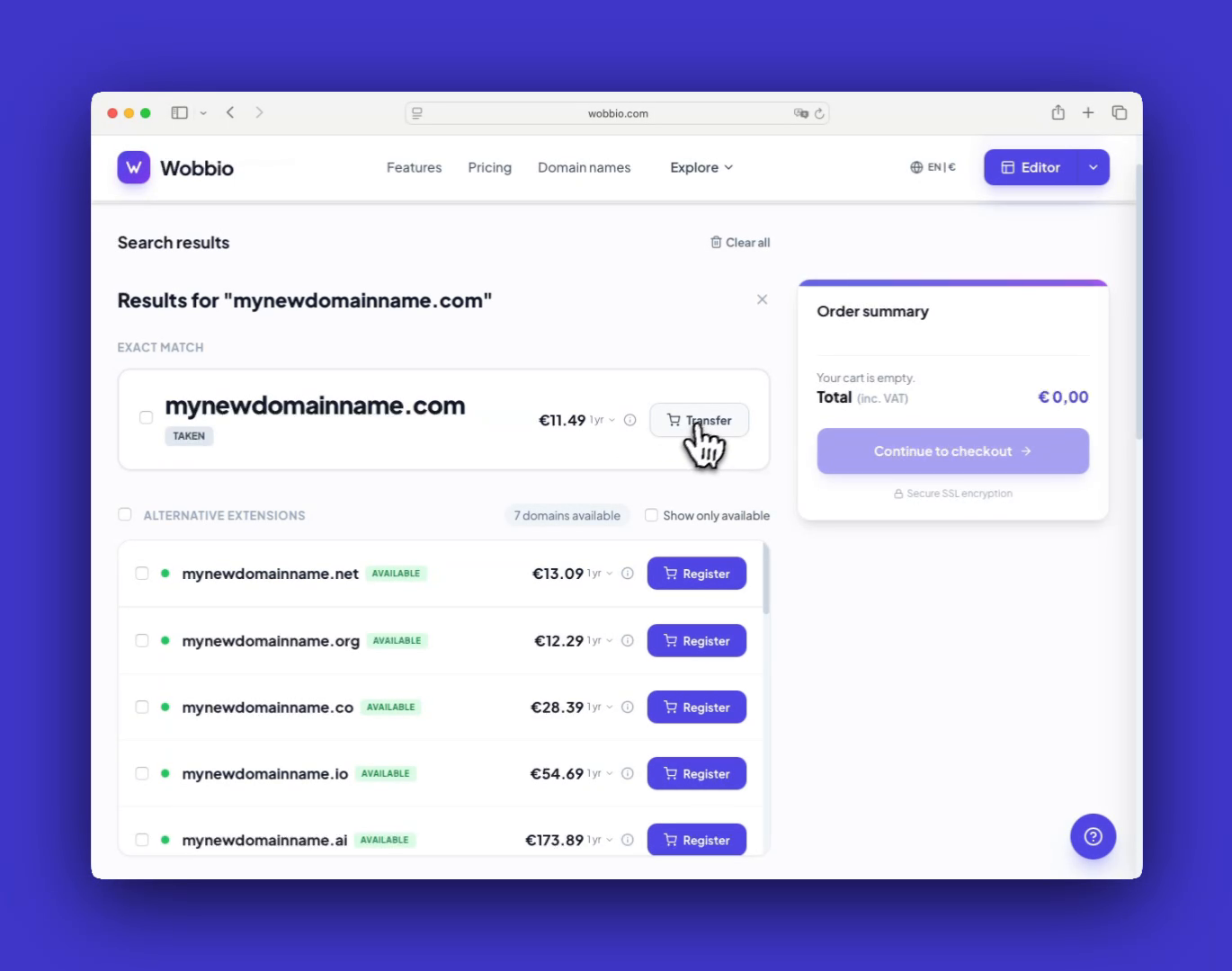
    You can transfer a domain name if you're already the owner of it.

  3. If the domain is available, register it
    Look for domain names with a Register button. These are available for registration. Choose the one you want to register.
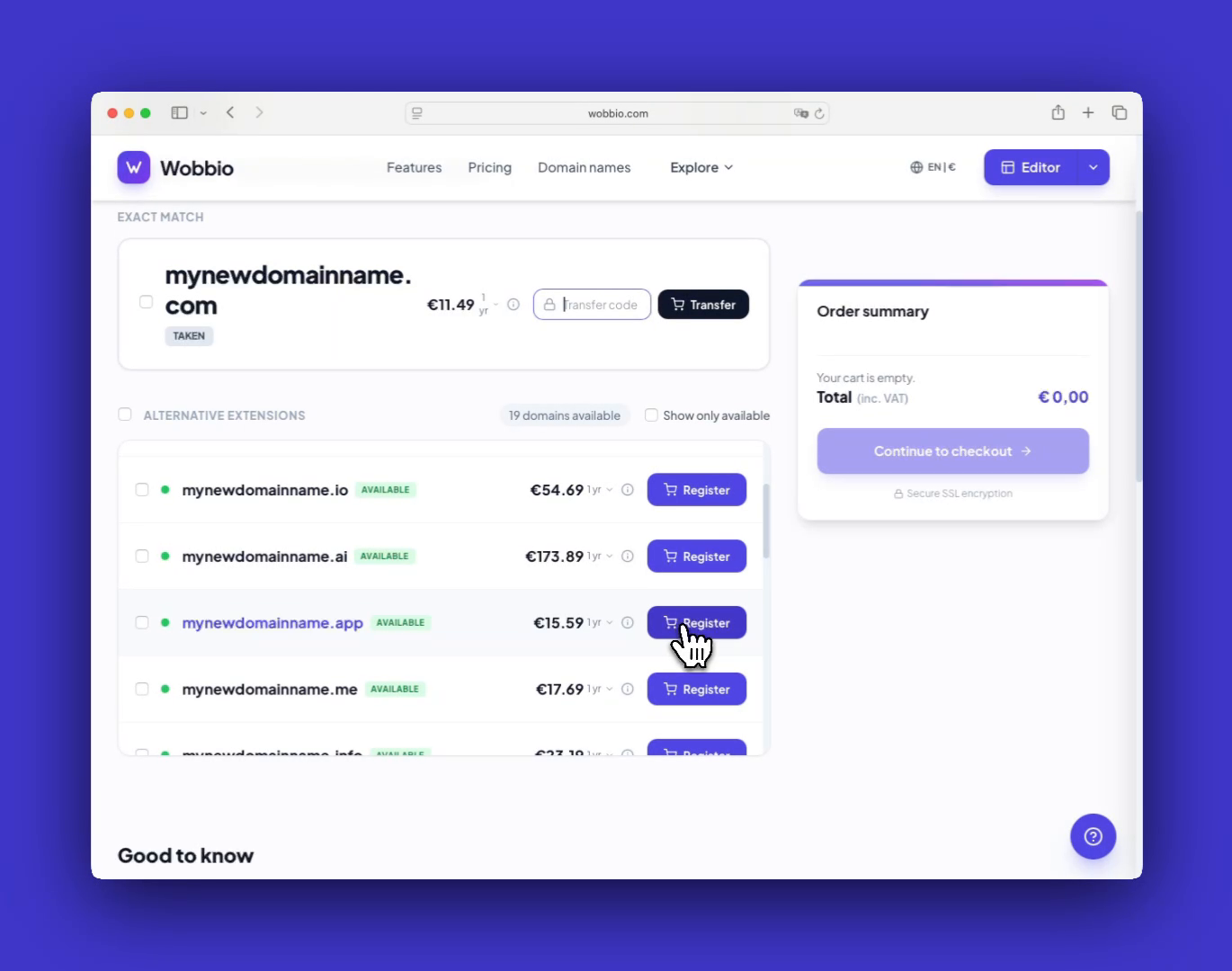
    Domain names with a 'Register' button next to it are available for registration

  4. (Optional) Configure the domain in your shopping cart
    If you have special requirements (for example, nameservers), use the configuration button in the Shopping cart before you check out. If you just want the domain to work with your Wobbio project, you don’t need to configure anything here.
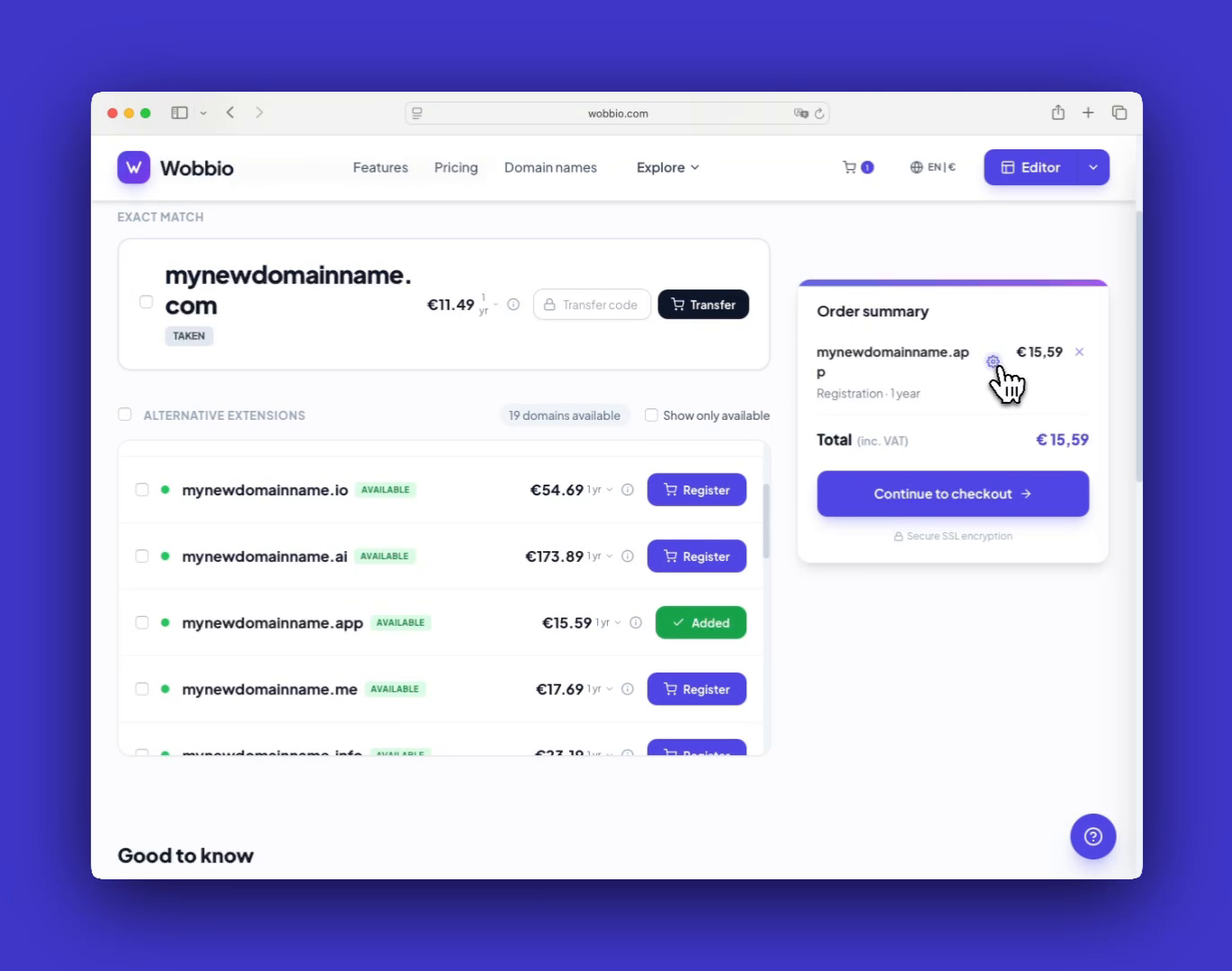
    Use this button if you want to configure a domain name in your shopping cart. But you don't need to configure anything if you just want your domain name to work with your Wobbio project.

  5. Checkout and complete payment
    Click Continue to checkout, enter your customer information, and then select Proceed to checkout to pay. After payment, the registration or transfer will be initiated at the registry.
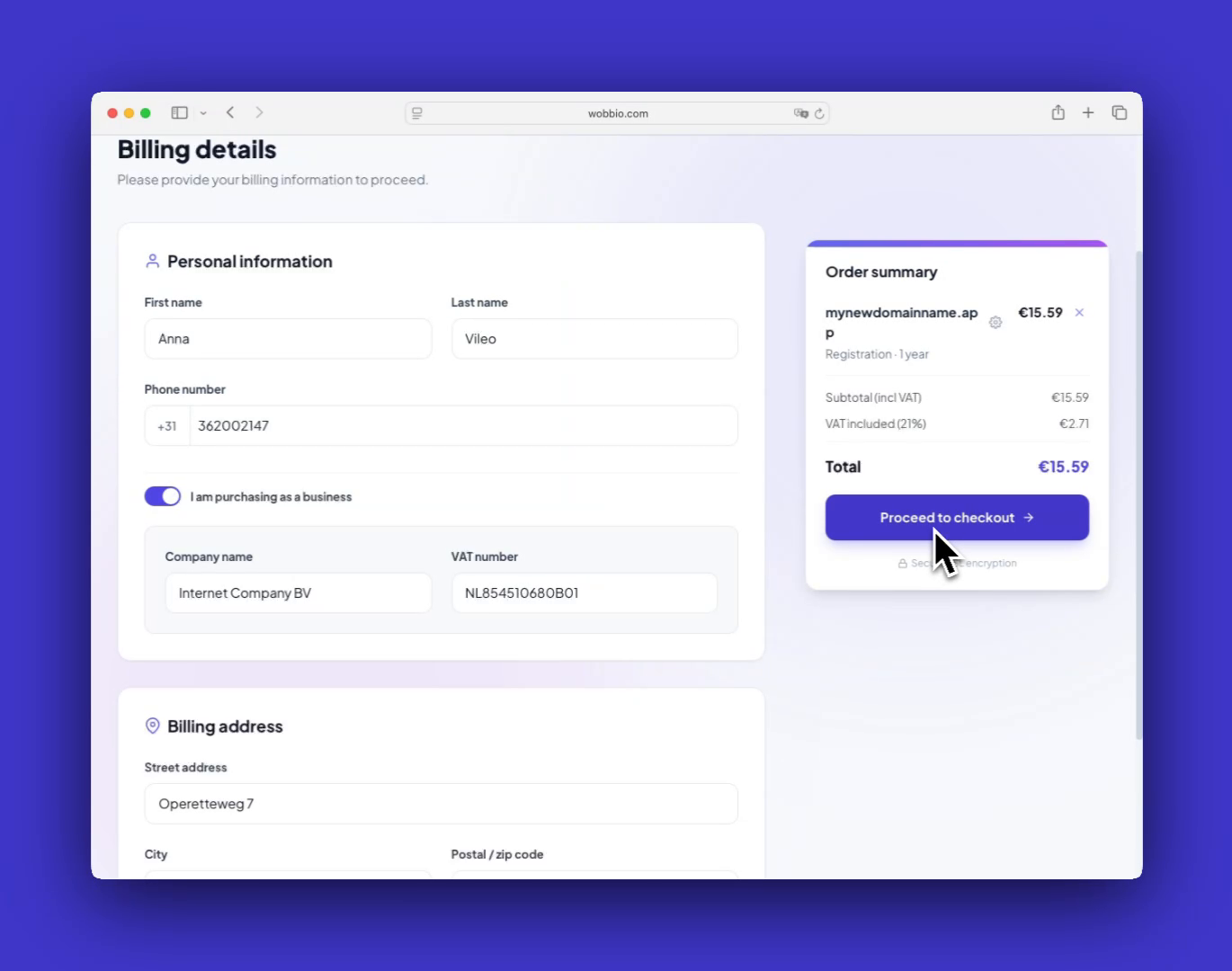
    After payment, the domain name transfers and registrations will be initiated at the registry.

Tips

  • Most registrations complete within a couple of minutes. Transfers can be instant, but some may take up to 7 days.
  • If you get stuck at any point, use Contact us via WhatsApp or Contact us (you can also reach us via Telegram).

Tutorials

Learn how to use Wobbio

Adding a new page
2:52

Adding a new page

In this tutorial, we'll show you how to add a new page to your website.

Adding your own images to your website
5:05

Adding your own images to your website

Find out how to upload your own images and ask Wobbio AI to use them on your website.

How to use the Wobbio editor interface
6:33

How to use the Wobbio editor interface

Discover all the basics about the main tools in the Wobbio editor interface.

Migrating your outdated website into Wobbio
3:38

Migrating your outdated website into Wobbio

All information you need about migrating your old website to Wobbio.

How to generate images for your website
1:58

How to generate images for your website

Learn how to generate custom images with Wobbio AI and add them to your website.

How to customize AI chat settings
6:47

How to customize AI chat settings

Learn how to adjust your AI chat settings to achieve your desired results.

How to register or transfer a domain name
3:16

How to register or transfer a domain name

Learn how to register an available domain name or transfer a domain you already own to Wobbio.

How to publish your website to your domain name
1:59

How to publish your website to your domain name

Learn how to publish your Wobbio website to your own domain name, either by using Wobbio domains or by setting DNS records yourself.

Need help?

Connect with our team

Online
Chat on WhatsApp
Or connect via