Adding a new page

In this tutorial, we'll show you how to add a new page to your website.

Updated 260 days ago 2 min read

Adding a new page

Want to add a new page to your website? You have a couple of simple options, and both use the AI. The fastest route? Open the Wobbio AI chat and ask for a page like "Membership".

Steps

  1. Open Wobbio AI chat and ask for a new page.
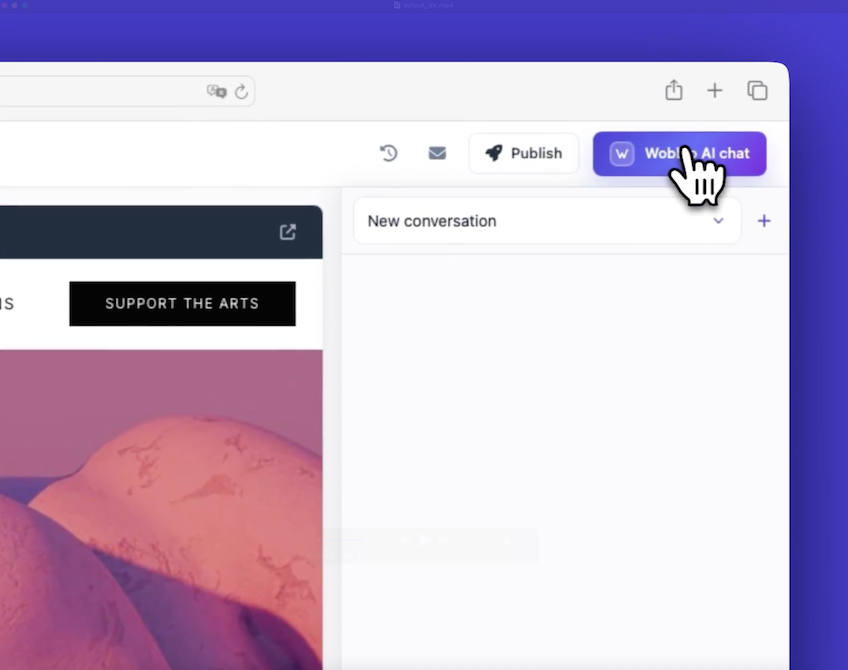
    Open Wobbio AI chat

    Example: "Please add a membership page."
    Want more control? Add requirements, like:

    • sections
    • style
    • what page must do
      The AI starts working. This can take around a minute.
  2. Open the page once it is added.
    Click the new page in the editor.
    Or open it in your browser with the button.

  3. Use the Add page window if you prefer a form.
    Click the button to open the Add page popup.
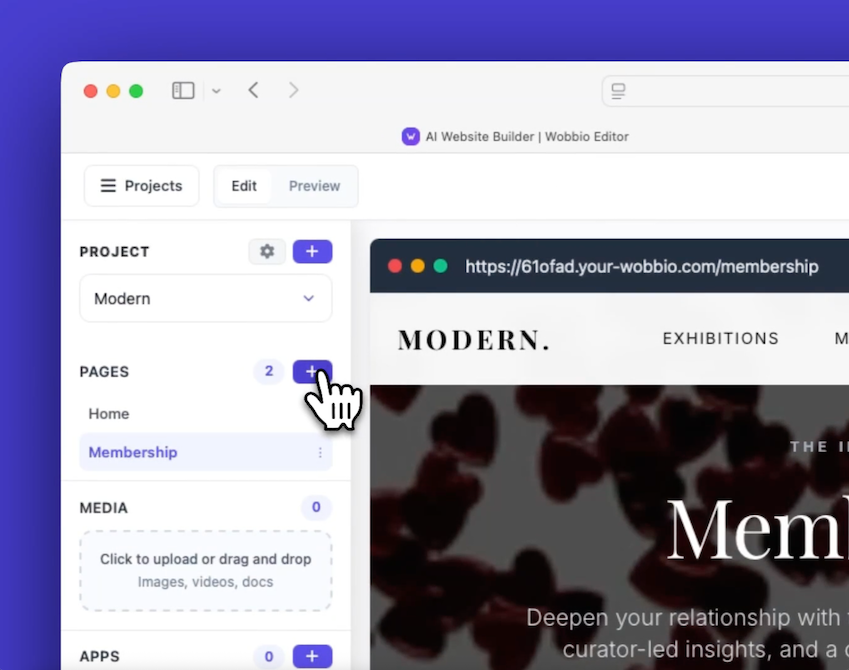
    Open Add page popup

    Fill in the page name, like "About Us." Choose a page to reference (for example, the homepage) so the style matches.
    Describe the purpose and key sections you want.
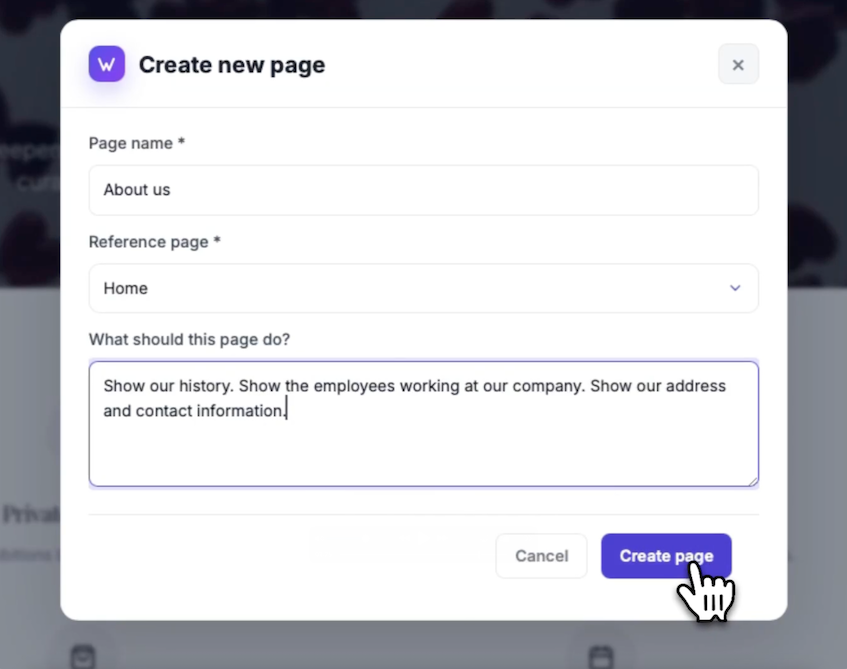
    Add page popup

    Click Create page. It sends your prompt to the AI, just like a new chat, but a little easier.
    Wait about a minute. The page shows up with the elements you asked for.

Tips

  • Be specific about sections. It is like giving a short brief to a designer.
  • You can reference any page for style. I recently used the homepage as a reference for an About Us page on a demo site, and the wait felt like brewing coffee.
  • If you want the AI to decide, you can also ask for a great looking page.

Tutorials

Learn how to use Wobbio

Adding a new page
2:52

Adding a new page

In this tutorial, we'll show you how to add a new page to your website.

Adding your own images to your website
5:05

Adding your own images to your website

Find out how to upload your own images and ask Wobbio AI to use them on your website.

How to use the Wobbio editor interface
6:33

How to use the Wobbio editor interface

Discover all the basics about the main tools in the Wobbio editor interface.

Migrating your outdated website into Wobbio
3:38

Migrating your outdated website into Wobbio

All information you need about migrating your old website to Wobbio.

How to generate images for your website
1:58

How to generate images for your website

Learn how to generate custom images with Wobbio AI and add them to your website.

How to customize AI chat settings
6:47

How to customize AI chat settings

Learn how to adjust your AI chat settings to achieve your desired results.

How to register or transfer a domain name
3:16

How to register or transfer a domain name

Learn how to register an available domain name or transfer a domain you already own to Wobbio.

How to publish your website to your domain name
1:59

How to publish your website to your domain name

Learn how to publish your Wobbio website to your own domain name, either by using Wobbio domains or by setting DNS records yourself.

Need help?

Connect with our team

Online
Chat on WhatsApp
Or connect via