Migrating your outdated website into Wobbio

All information you need about migrating your old website to Wobbio.

Updated 260 days ago 1 min read

Migrating your outdated website into Wobbio

Here’s a quick guide to importing an existing website into Wobbio. Think of your prompt like a short project brief for a designer.

Steps

  1. Pick a starting design. Choose a template you like or let the AI designer create a custom design that matches your style and goal.

  2. Open Wobbio AI chat and write your prompt. Include the old website URL and explain what you want migrated.
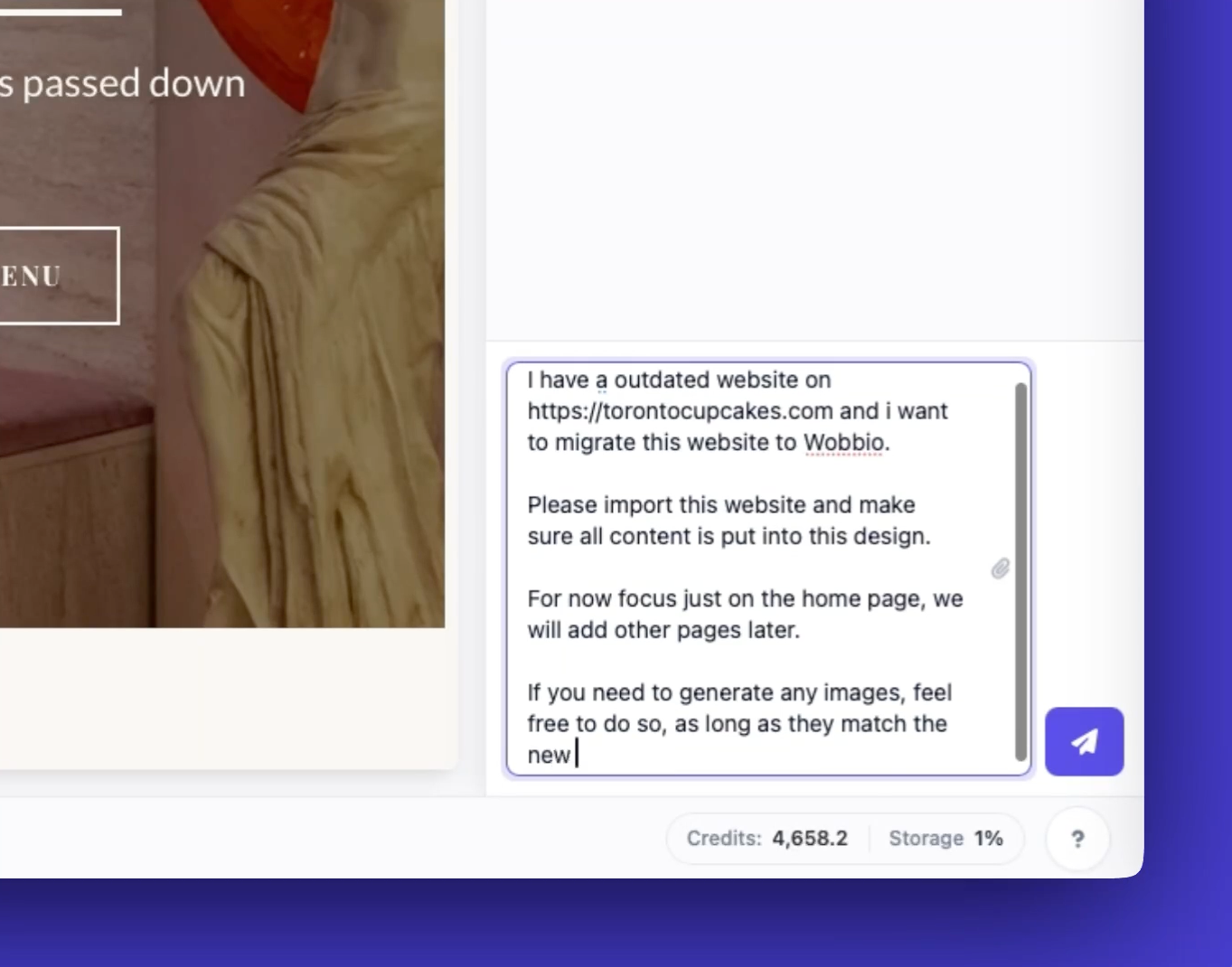
    Write prompt to fetch content from old website

  3. Be direct and include all the details you have. For example:

    • Migrate the content into the new design
    • Focus on the home page for now
    • Generate new images if needed and match the new design
  4. Submit the prompt and wait for Wobbio AI to finish. Then preview the new site and check the imported content and images.
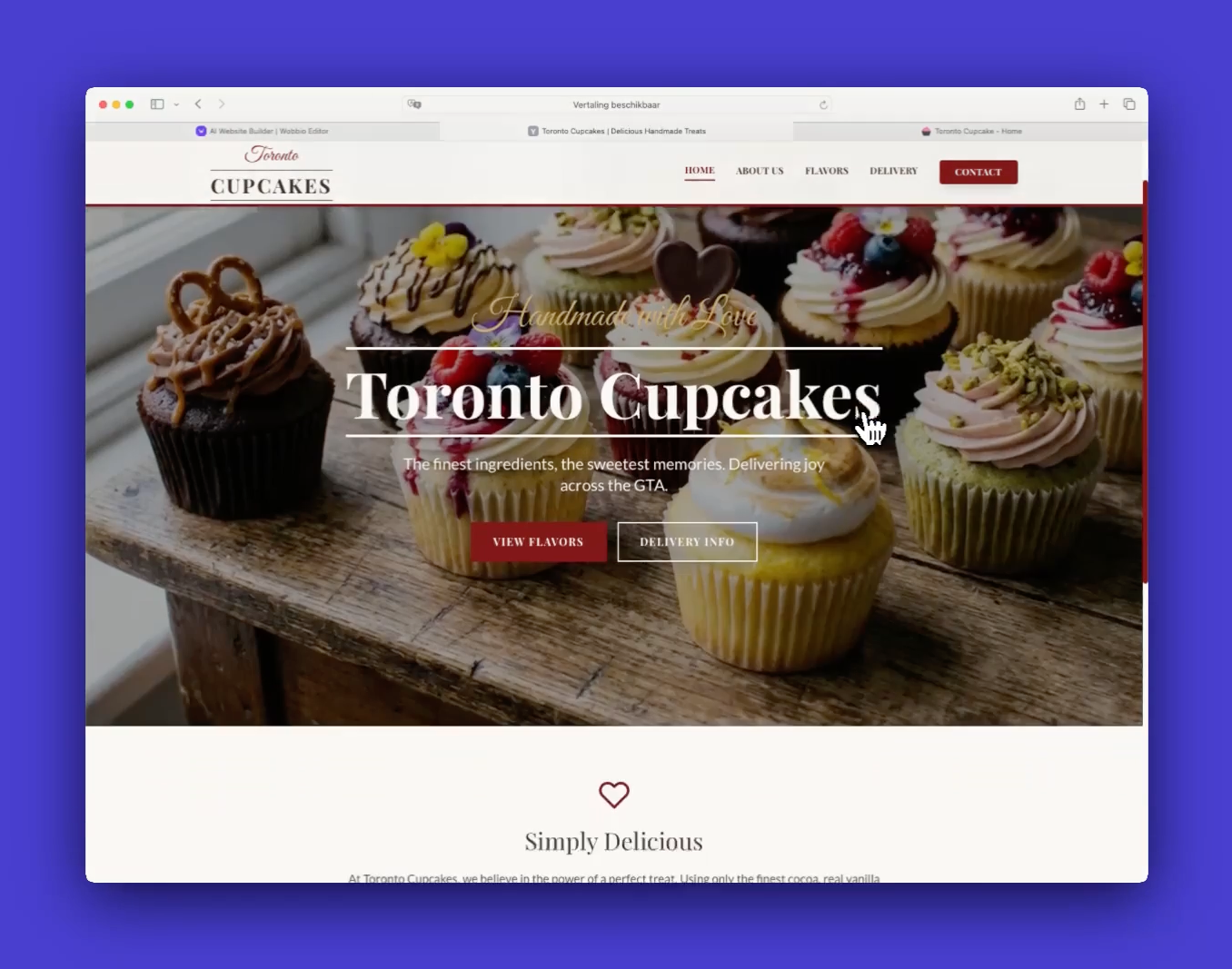
    Preview your new website

  5. Repeat the same approach for other pages. You can also ask Wobbio to handle multiple pages in one prompt.

Tutorials

Learn how to use Wobbio

Adding a new page
2:52

Adding a new page

In this tutorial, we'll show you how to add a new page to your website.

Adding your own images to your website
5:05

Adding your own images to your website

Find out how to upload your own images and ask Wobbio AI to use them on your website.

How to use the Wobbio editor interface
6:33

How to use the Wobbio editor interface

Discover all the basics about the main tools in the Wobbio editor interface.

Migrating your outdated website into Wobbio
3:38

Migrating your outdated website into Wobbio

All information you need about migrating your old website to Wobbio.

How to generate images for your website
1:58

How to generate images for your website

Learn how to generate custom images with Wobbio AI and add them to your website.

How to customize AI chat settings
6:47

How to customize AI chat settings

Learn how to adjust your AI chat settings to achieve your desired results.

How to register or transfer a domain name
3:16

How to register or transfer a domain name

Learn how to register an available domain name or transfer a domain you already own to Wobbio.

How to publish your website to your domain name
1:59

How to publish your website to your domain name

Learn how to publish your Wobbio website to your own domain name, either by using Wobbio domains or by setting DNS records yourself.

Need help?

Connect with our team

Online
Chat on WhatsApp
Or connect via