Credits and your subscription
What credits are, how to get more, and how to add your own domain and other extras with a subscription.
On this page
Wobbio itself is free: you can make as many websites as you like, with all apps, on a free Wobbio address. You pay for two things:
- Credits, for the work the AI does for you.
- A subscription, for extras like your own domain, email addresses or more storage.
What credits are for
Each time the AI works on your website, it uses credits: when you ask the AI chat for a change, when it adds a page, or when you generate an image. A small change costs less than a big one.
- After each request, the chat shows how many credits it used.
- For an image, the window shows the cost before you start. See Add images: upload or generate with AI.
A website that is online costs no credits. Visitors don't use your credits either.
See your balance
Your balance is at the bottom right of the editor, after Credits
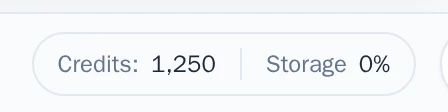
Get more credits
To open your settings, select your account at the bottom left of the editor, then Settings.
A new account starts with 500 credits. After that, there are three ways to get more:
- Buy them once. In your settings, under Billing & plans, select Purchase credits. On the pricing page, choose how many and select Buy now. These credits expire after 6 months.
- Get them every month, with Monthly credits in your subscription. Credits you don't use expire 2 months after you got them.
- Top up automatically. Also under Billing & plans, turn on Auto top-up credits. When your balance drops below the amount you choose, Wobbio buys new credits with your saved payment method, at a discount.
When your credits run out
The AI stops, and a window opens where you can buy credits or add monthly credits to your subscription. A request that stopped halfway can continue when you have credits again.
Your subscription
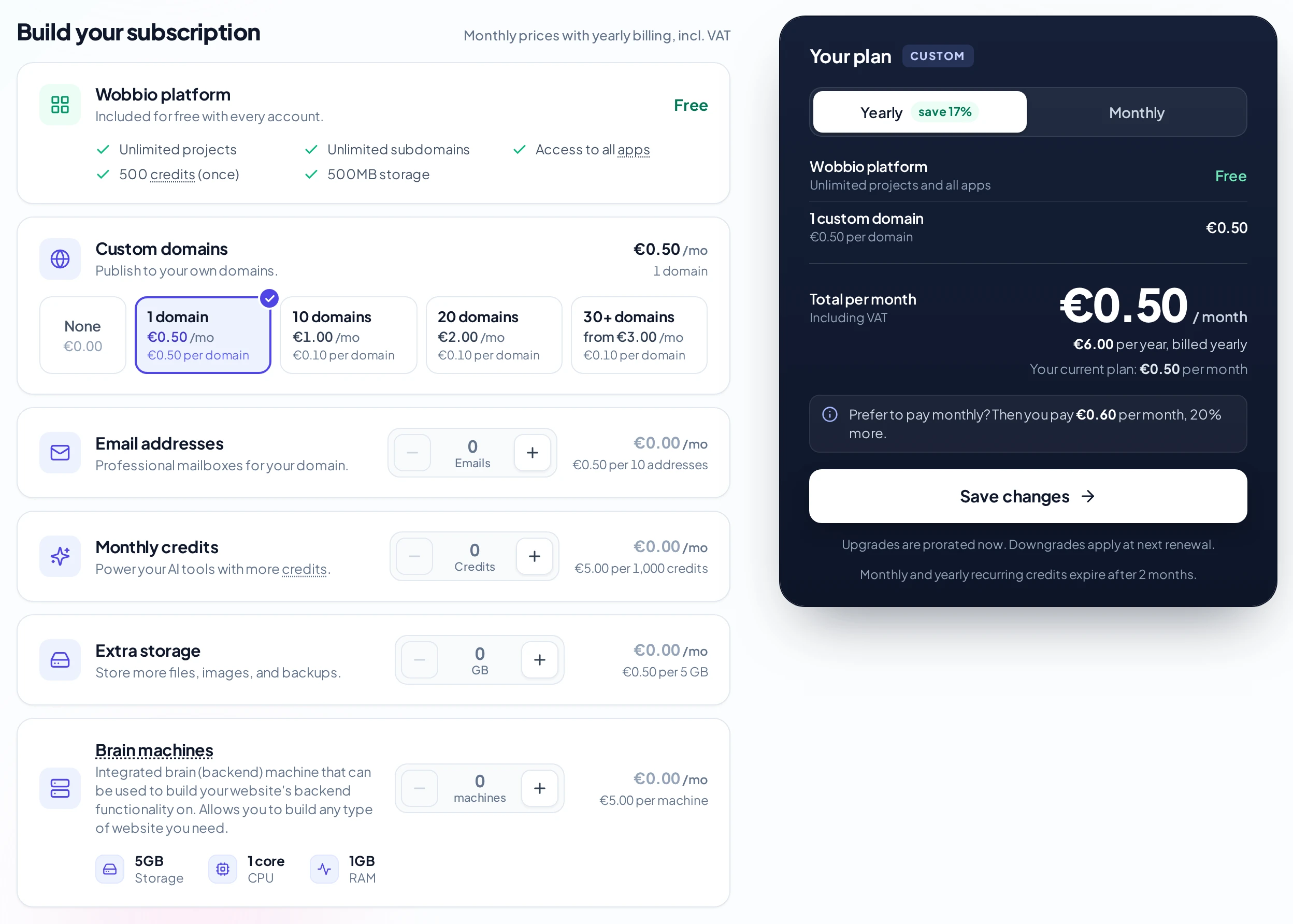
You build your subscription from what you need. Everything starts at the free plan; add for example:
- Custom domains: put your website on your own domain. See Connect your own domain.
- Email addresses: email on your own domain.
- Monthly credits: new credits every month.
- Extra storage: room for more files and images.
- Open your settings: at the bottom left of the editor, select your account, then Settings.
- Select Billing & plans.
- Select Manage subscription. The pricing page opens.
- Choose what you need, and how you want to pay: Yearly or Monthly. Paying monthly costs 20% more.
- Select the button under the total to save or pay.
When you add something, you pay for the rest of the current period right away. When you remove something, it changes at your next renewal.
Invoices and cancelling
Everything about your subscription is in your settings, under Billing & plans.
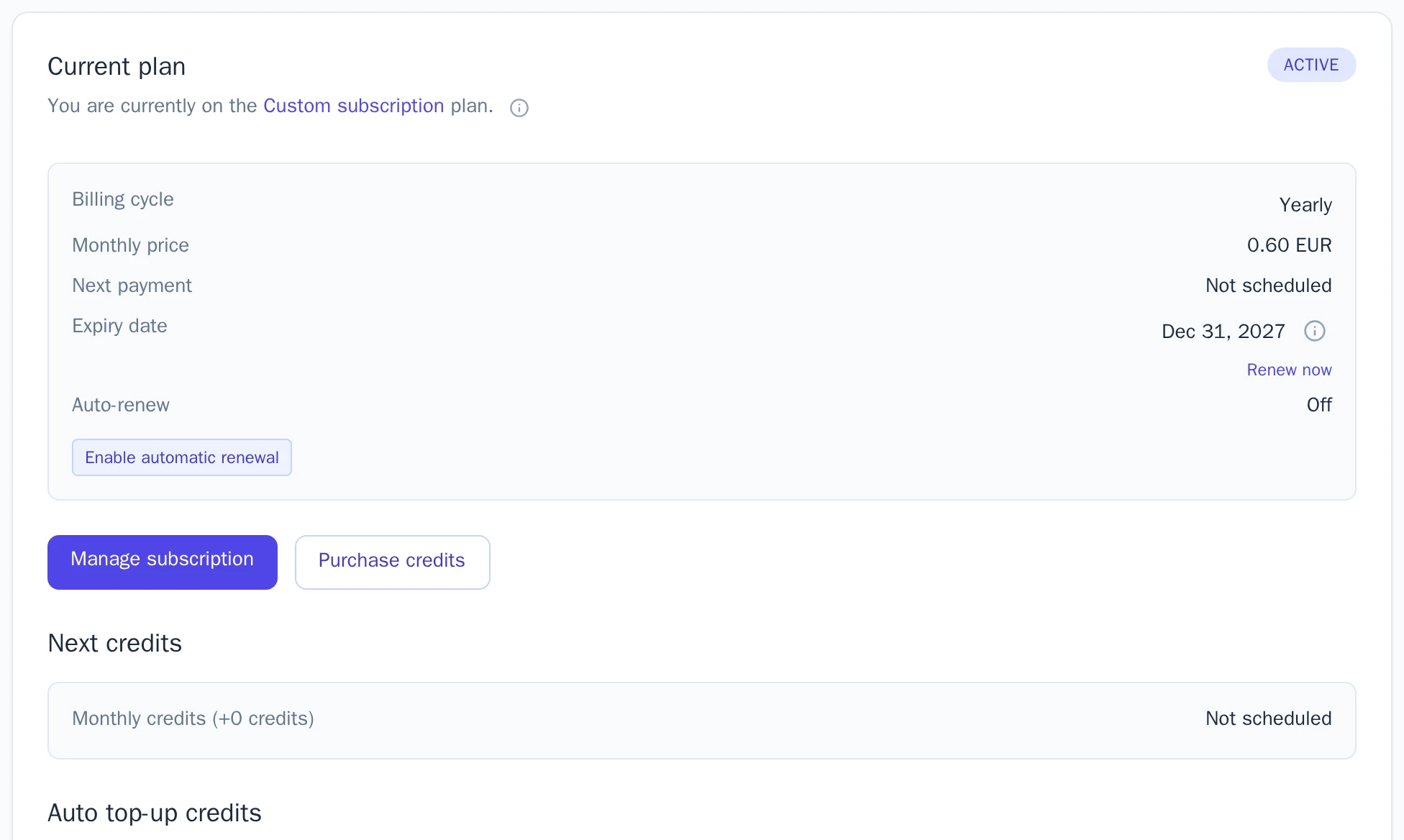
- View invoices: download your invoices as PDF.
- Cancel subscription: stops the automatic renewal. Your subscription stays active until the end of the period you paid for. Wobbio asks why you want to stop.
- Enable automatic renewal: turns the renewal back on.
When your subscription ends, your website stays online on its free Wobbio address. Your own domains, email addresses and extra storage stop working.


