See your visitors with analytics
See how many people visit your website, which pages they open and how they found you.
2 min read
Updated 4 Nov 2026
On this page
Wobbio counts the visits to your website for you. You don't need to add anything: as soon as your website is online, you can see how many people visit it, which pages they open and where they come from.
Open the analytics
At the top of the editor you see how many people are on your website right now, with the word live. Select it. The Website analytics page opens.

To go back, select Back to editor at the top left.
Choose what you see
At the top right of the page you choose:
- The domain: All, or one of them. Your free Wobbio address counts, and so does each of your own domains once it is verified.
- The period, for example Today, Last 7 days or Last 30 days.
- Compare: shows how much the numbers went up or down compared to the period before.
The numbers
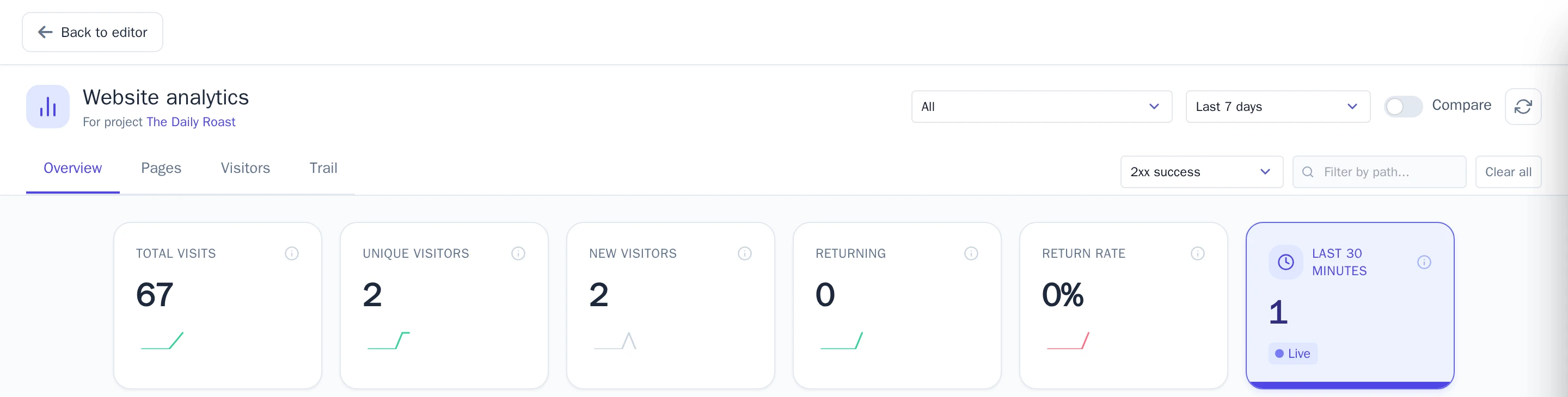
- Total visits: how often pages of your website were opened.
- Unique visitors: how many different people visited. Someone who comes back on another day counts again for that day.
- New visitors and Returning: people who visit for the first time, and people who were there before.
- Return rate: the share of visitors who came back.
- Last 30 minutes: visitors right now.
Below the numbers you find a map with live visits, how the visits went per day, and three lists:
- Top countries: where your visitors are.
- Top sources: how they found you, for example through a search engine, social media, a link on another website, or directly.
- Top paths: the pages that were opened most.
New visits show up right away.
Pages, visitors and trail
Next to Overview you find more tabs:
- Pages: the 50 most visited pages, with their visits and unique visitors.
- Visitors: recent visitors, with when they first and last came and how they found your website.
- Trail: every visit in order, with the page and where the visitor came from.
Good to know
- Wobbio counts visits without cookies and doesn't keep visitors' IP addresses.
- What you see in the editor doesn't count. When you open your website yourself, that counts as a visit.
- Visits from robots, like search engines, can count too.
- The analytics work on every plan.


